Cable Guides: Stop Ordering Too Much (or Too Little) Cable
Cable Guides: Stop Ordering Too Much (or Too Little) Cable
Ever ordered 500 feet of cable when you needed 350? Or worse, run out halfway through installation? Cable Guides solve this by showing exactly how cables route through your studio — around walls, through conduit, along cable trays — so your BOM reflects reality, not straight-line guesses.
Before: Point-to-point connections
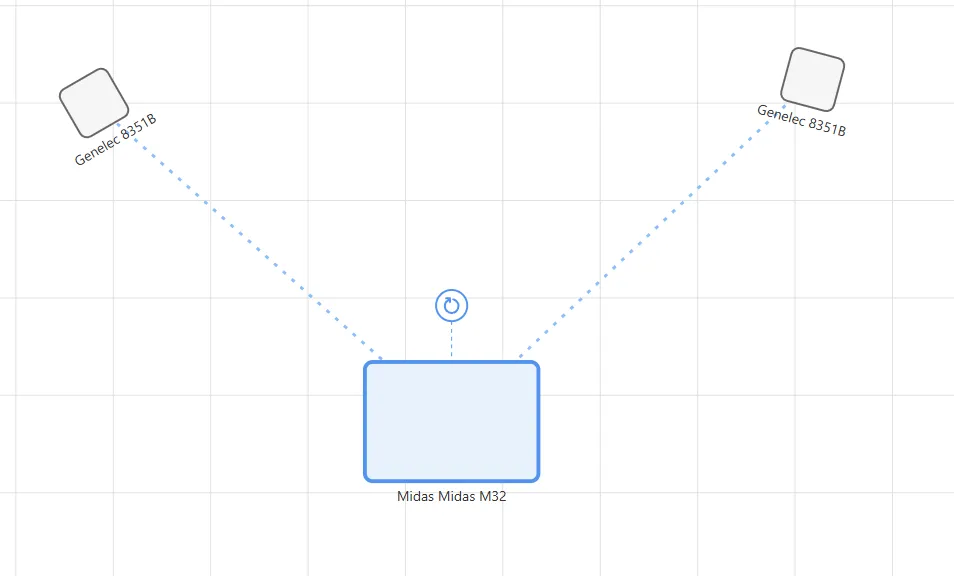
After: Routed through cable guides
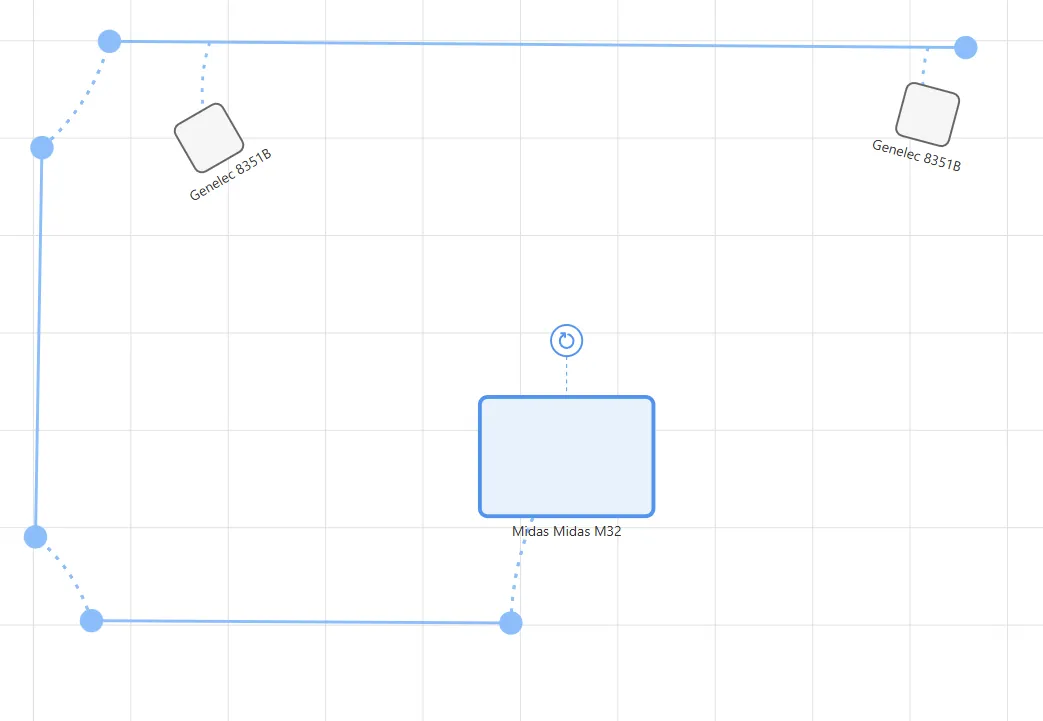
The Problem: Straight Lines Don’t Exist in Real Studios
Point-to-point calculations assume cables fly through the air in perfect straight lines. They don’t.
In real studios, cables snake along walls, run through conduit, avoid obstacles, and meet at patch bays. That “20-foot” run? Actually 28 feet when you account for the path to the cable tray, along the wall, and down to the rack.
The result? You either over-order (wasting money on excess cable) or under-order (scrambling mid-install when you run short).
How It Works
Cable Guides let you draw the paths your cables will actually take. You still make connections in the Connections view as usual — cable guides simply improve how those connections are routed and measured.
To use Cable Guides:
- In Canvas view, click the cable guide icon in the toolbar (blue route symbol)
- Click points on your canvas to draw cable pathways
- Switch to Connections view to make your connections as normal
- Connections automatically route through nearby guides
Your connections automatically follow the guides you’ve drawn, and you can drag guide points anytime to adjust the routing. Your BOM updates instantly with accurate cable lengths.
Cable guides are completely optional. Basic projects work great without them. They shine when you’re dealing with live stage setups, AV installs, or multi-room studios where cable routing matters.
When to Use Cable Guides
Cable guides are most valuable for:
- Live stage setups where cable runs need to be precise
- AV installations with equipment in multiple locations
- Multi-room studios with complex cable routing
- Planning conduit runs and cable management
For simple home studios with short cable runs, the basic point-to-point calculations work fine.